Install it. Use it like a native app.
No browser tab needed every time you log in.
Don't see the install icon? No worries — here's how:
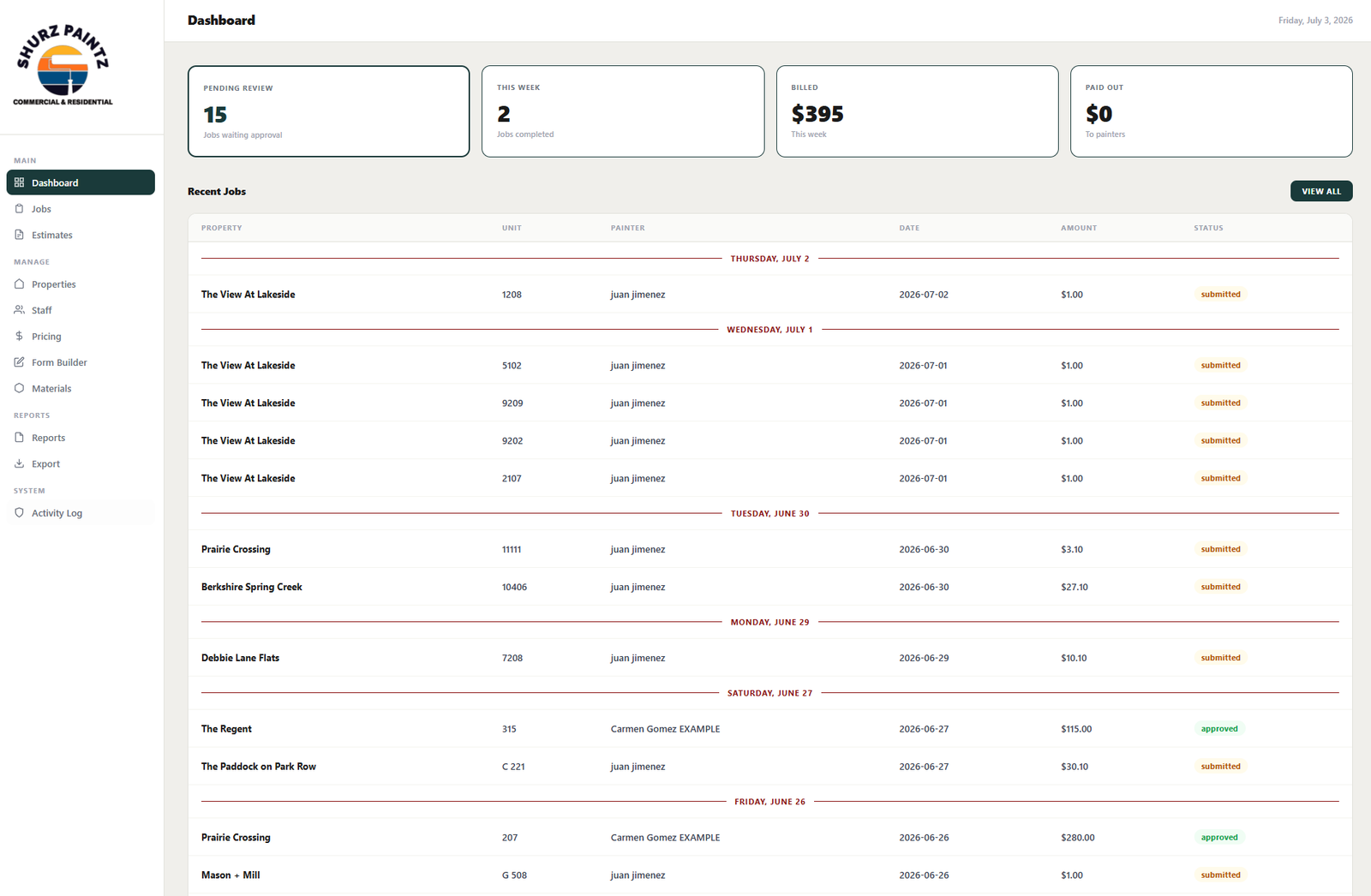
Your Whole Business, at a Glance
Real-time metrics and the most recent jobs, grouped by day.
4 instant metrics
Pending Review, jobs this week, total Billed, and total Paid Out — with zero clicks.
Recent Jobs grouped by day
Property, unit, painter, amount, and status, sorted chronologically for a fast review.
One-click access
"VIEW ALL" takes you straight to the full Jobs Board with the same filters.
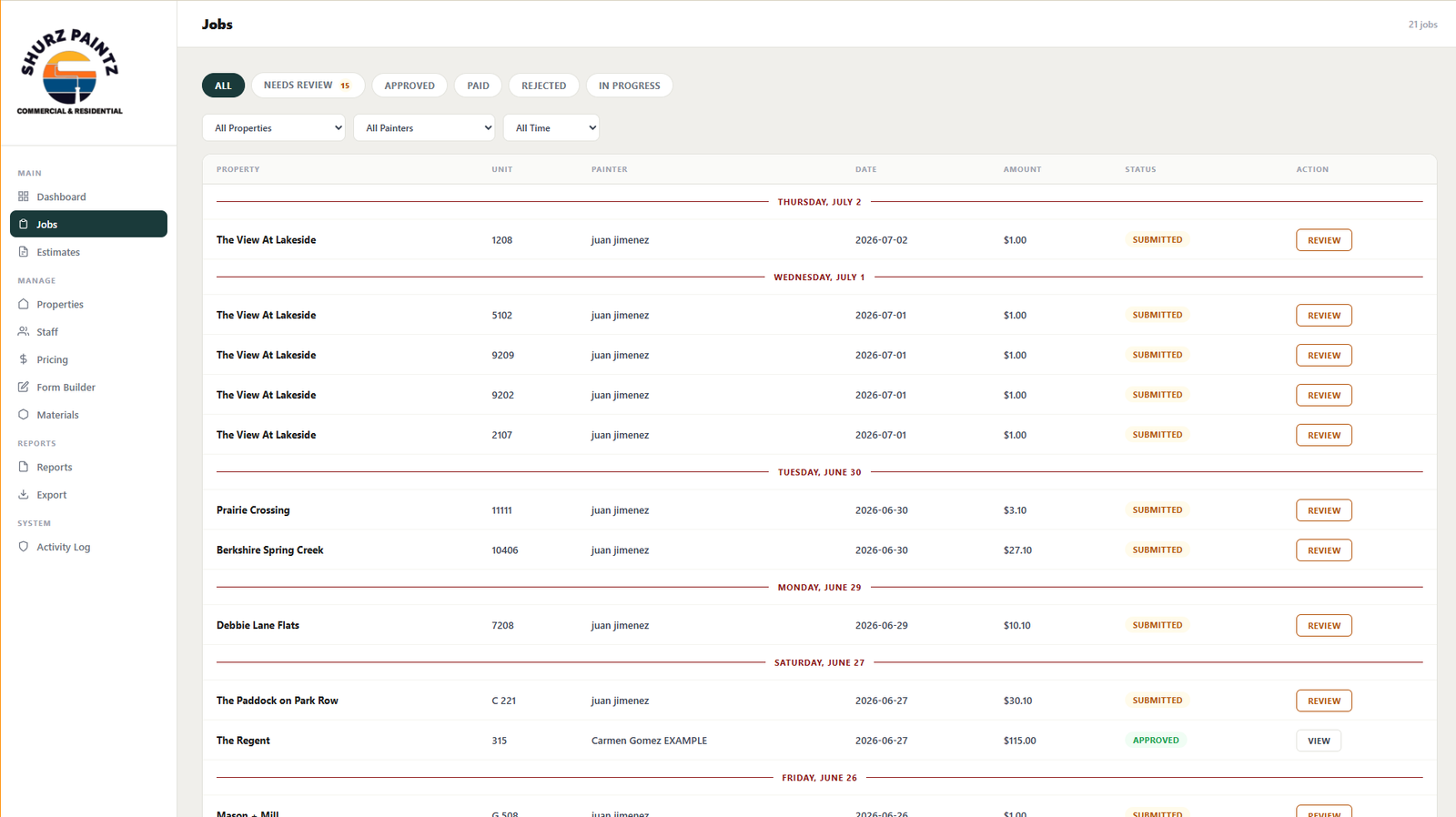
Filter, Review, Approve
Every job in a single view, with status tabs and combinable filters.
Status tabs
All, Needs Review, Approved, Paid, Rejected, In Progress — with a live counter.
Combinable filters
By property, by painter, and by time range, all from the same screen.
One-click review / approve
Every pending job shows its action button right there: nothing gets lost in the queue.
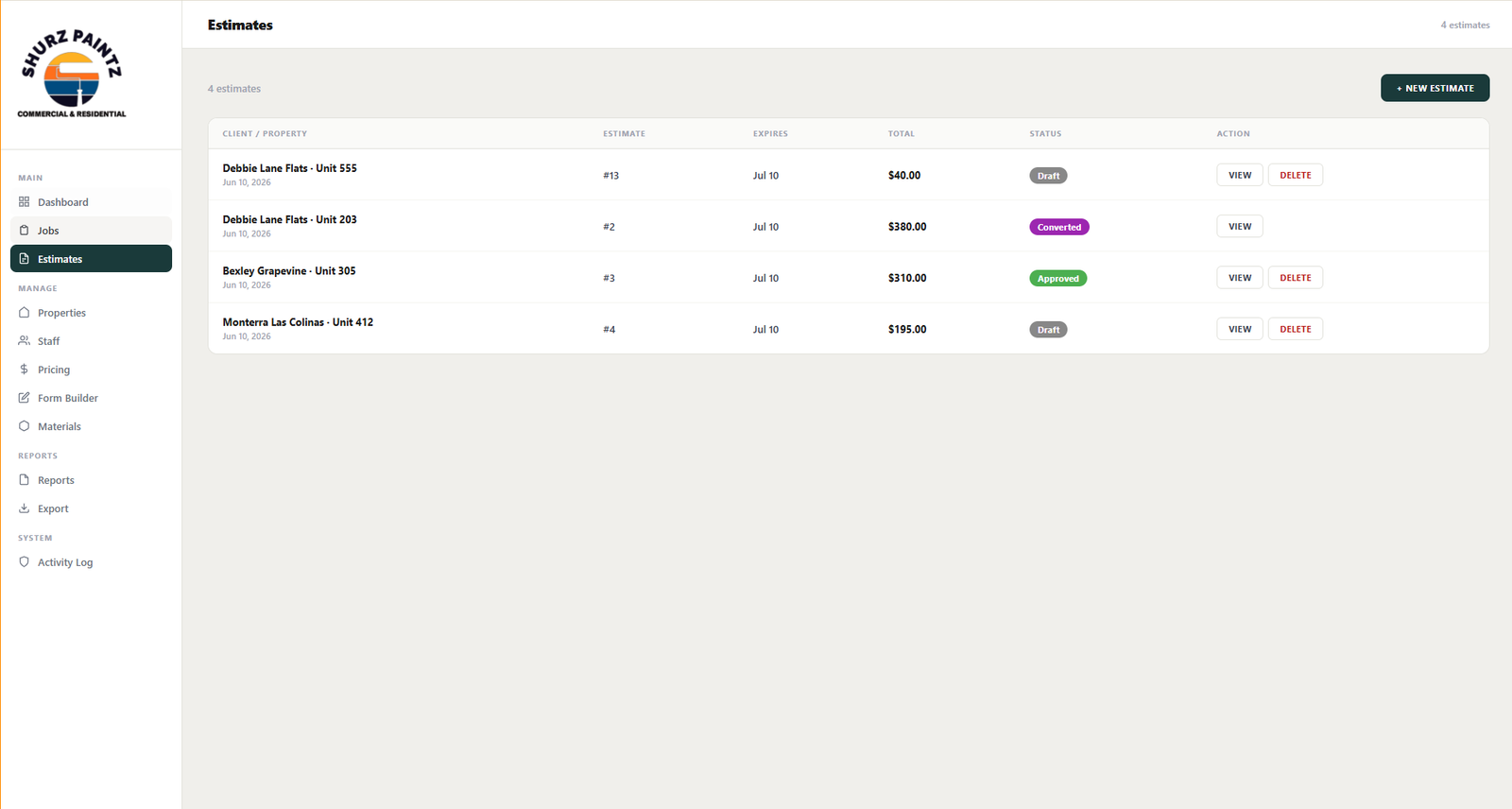
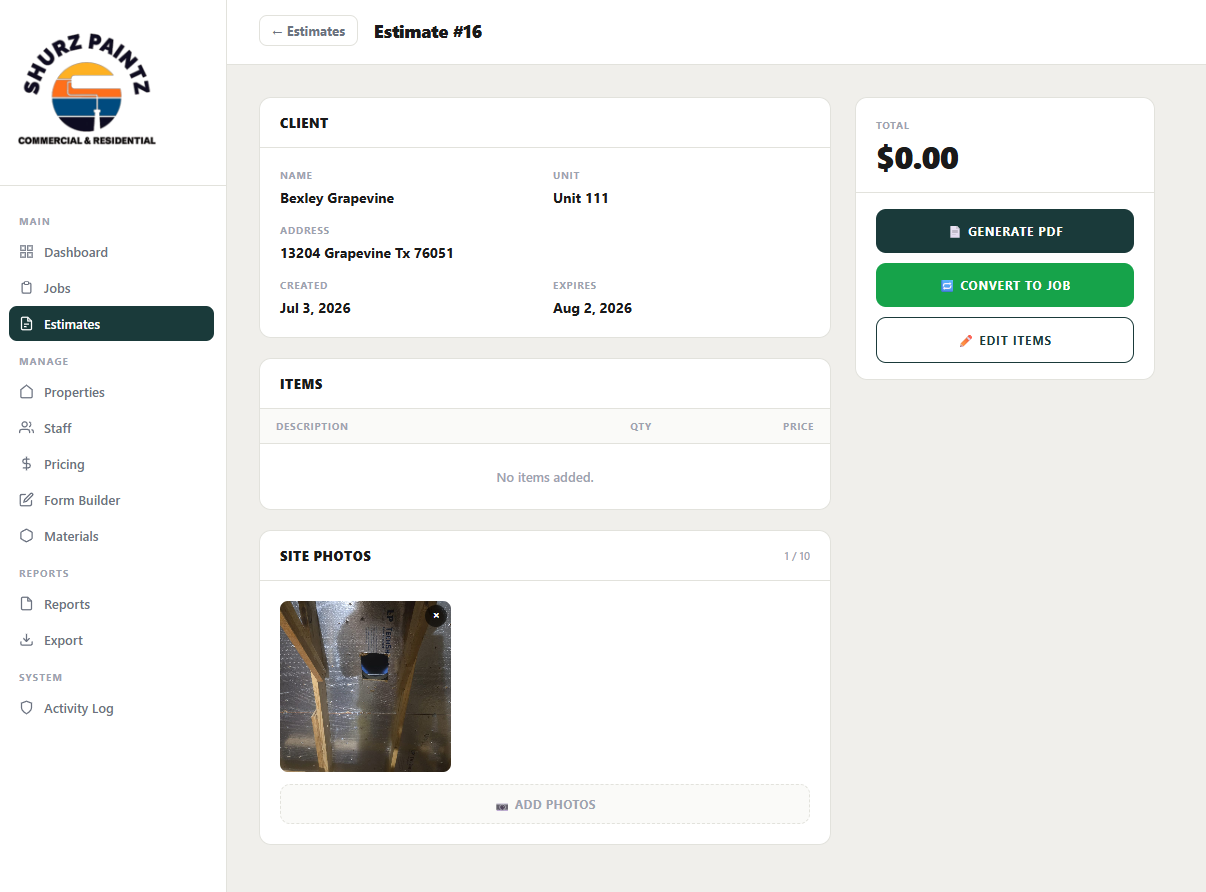
Quote It, Then Convert It to a Job
From estimate to approved job, without ever re-entering the data.
Draft → Approved → Converted
Every estimate has a clear lifecycle, visible as a color-coded badge.
Generate PDF
One click generates a professional estimate PDF ready to send to the client.
Convert to Job
An approved estimate becomes a real job instantly — no re-entering any data.
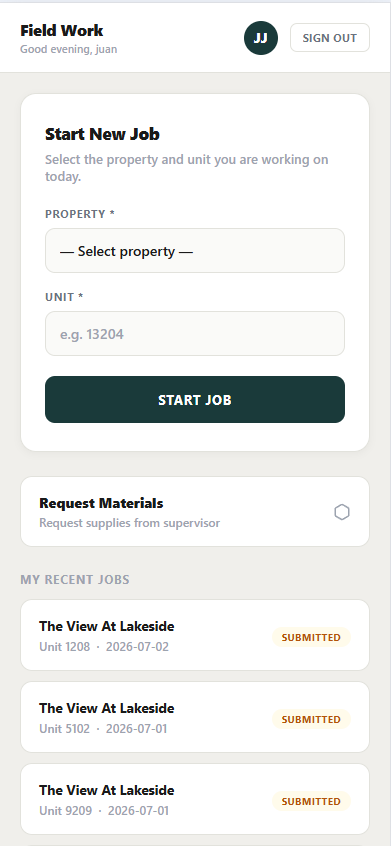
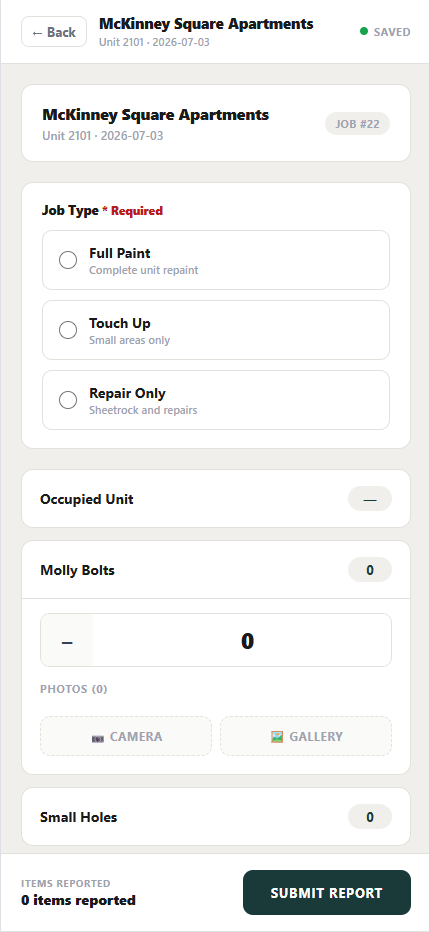
Mobile-First & Installable (PWA)
The painter opens a link once. It lives on the home screen like a native app.
Installable as an App (PWA)
A real icon on the home screen, full-screen, no browser bar. No App Store required.
Offline-first
The painter can fill out the report and take photos even with no signal. Everything syncs automatically once back online.
Painter-only view
The painter never sees prices, amounts billed to the property, or financial reports — only their checklist, photos, and assigned jobs.
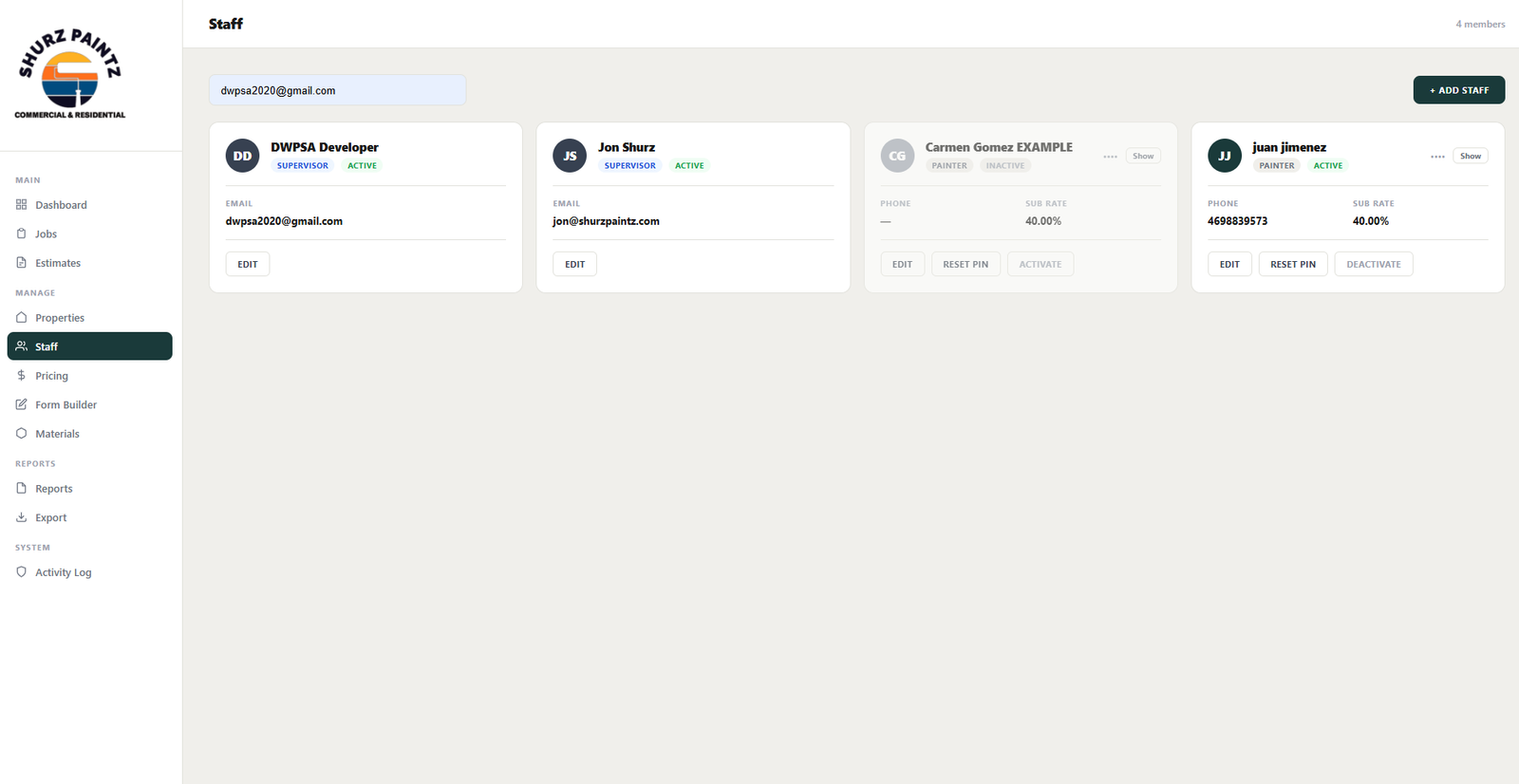
One System, Three Views
Supervisor, Painter, and Office each see exactly what they need.
Supervisor
Full access: pricing, financial reports, job approvals, staff, and exports.
Painter
Sees only their assigned jobs, item-by-item checklist, and photos. Never sees prices or amounts billed.
Office
Manages properties, jobs, and estimates — with no visibility into financial figures or painter payouts.
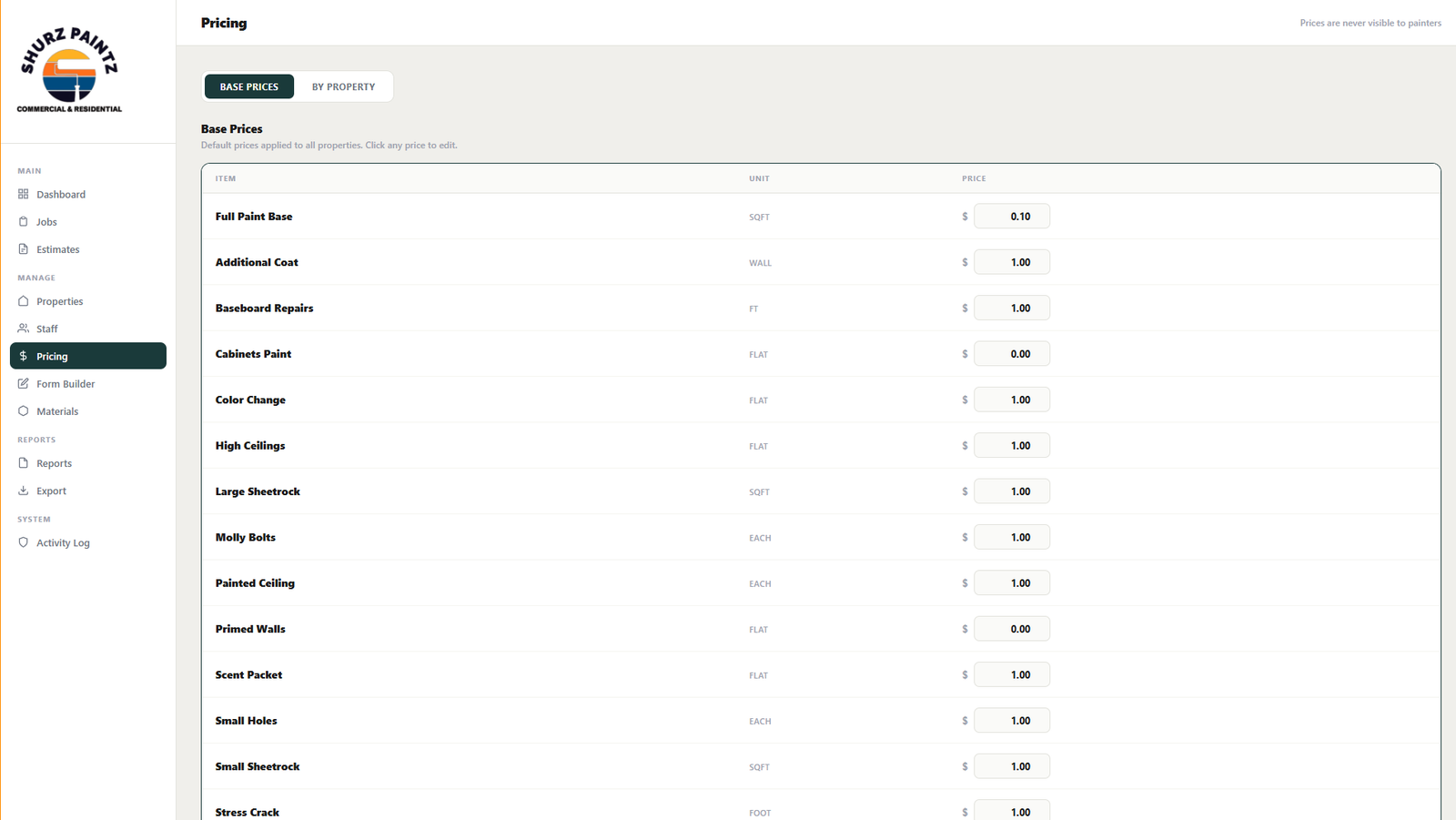
Base Prices + Per-Property Overrides
The supervisor sets the price once; the system calculates everything automatically.
Global base pricing
The supervisor sets the price for each item (per sqft, per wall, flat, per foot) once for the entire business.
Per-property override
Any property can have its own special price that automatically replaces the base price.
Feeds the entire system
Those prices calculate estimates, jobs, weekly bills, and exports — with nothing to recalculate by hand.
Invisible to the painter
"Prices are never visible to painters": the painter never sees these numbers, on any screen.
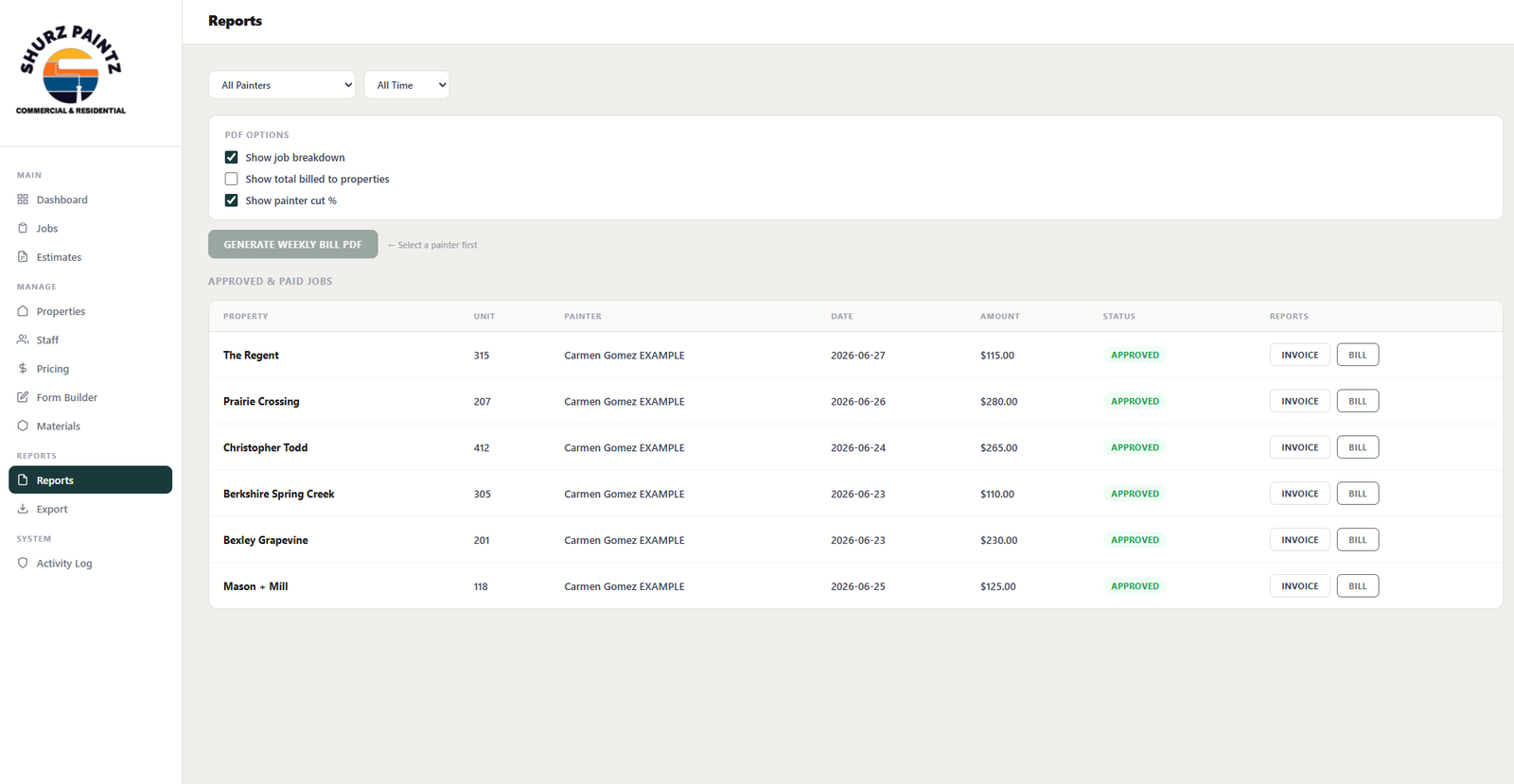
Weekly Bill — Full Privacy Control
The supervisor decides exactly what the painter sees on every PDF.
Show job breakdown
Turns the job-by-job detail inside the painter's PDF on or off.
Show total billed to property
Controls whether the painter sees how much was billed to the property for their work.
Show painter cut %
Decides whether the painter's commission percentage appears on the same document.
The painter sees only what's approved
Every Weekly Bill PDF reflects exactly what the supervisor chose to show — nothing more.
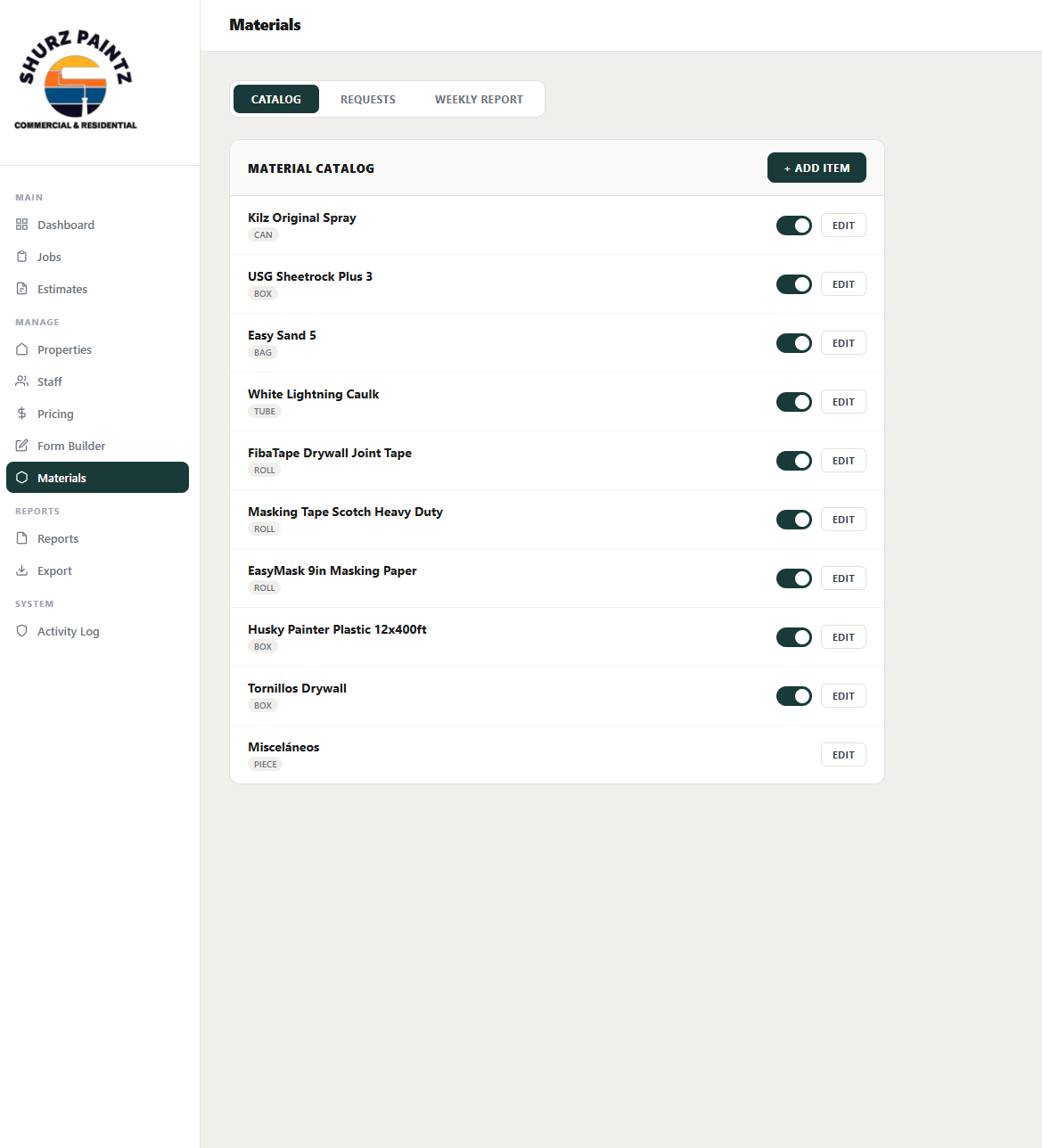
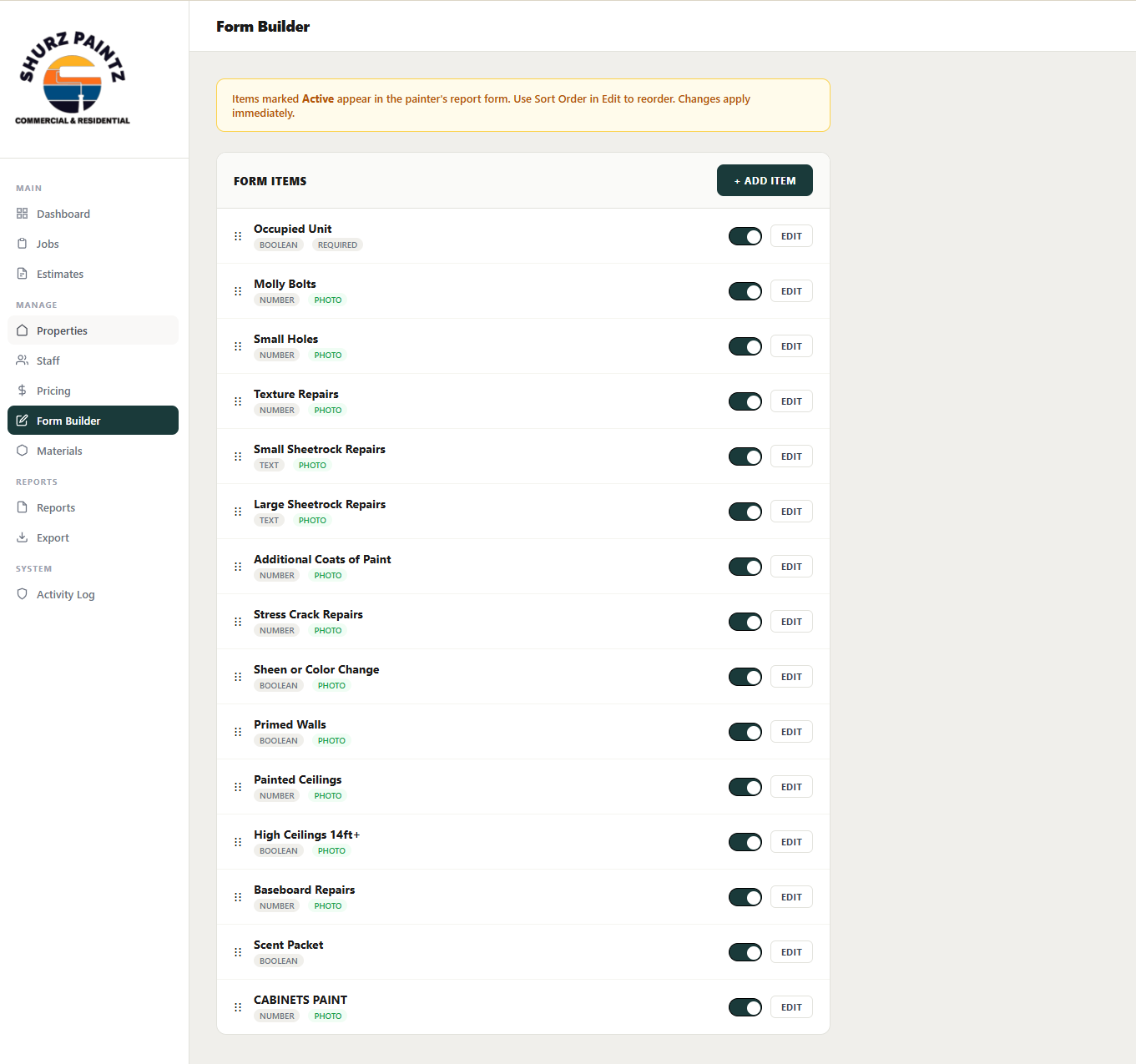
What the Painter Sees, Configured by You
The field checklist and materials catalog are controlled from the office.
Toggle per item
Turn each field in the painter's report on or off, with photo required or optional.
Materials catalog
Kilz, Sheetrock, Easy Sand, tape, plastic — each with its own unit of measure.
Weekly materials report
Weekly consumption ready for reordering, without guessing at inventory.
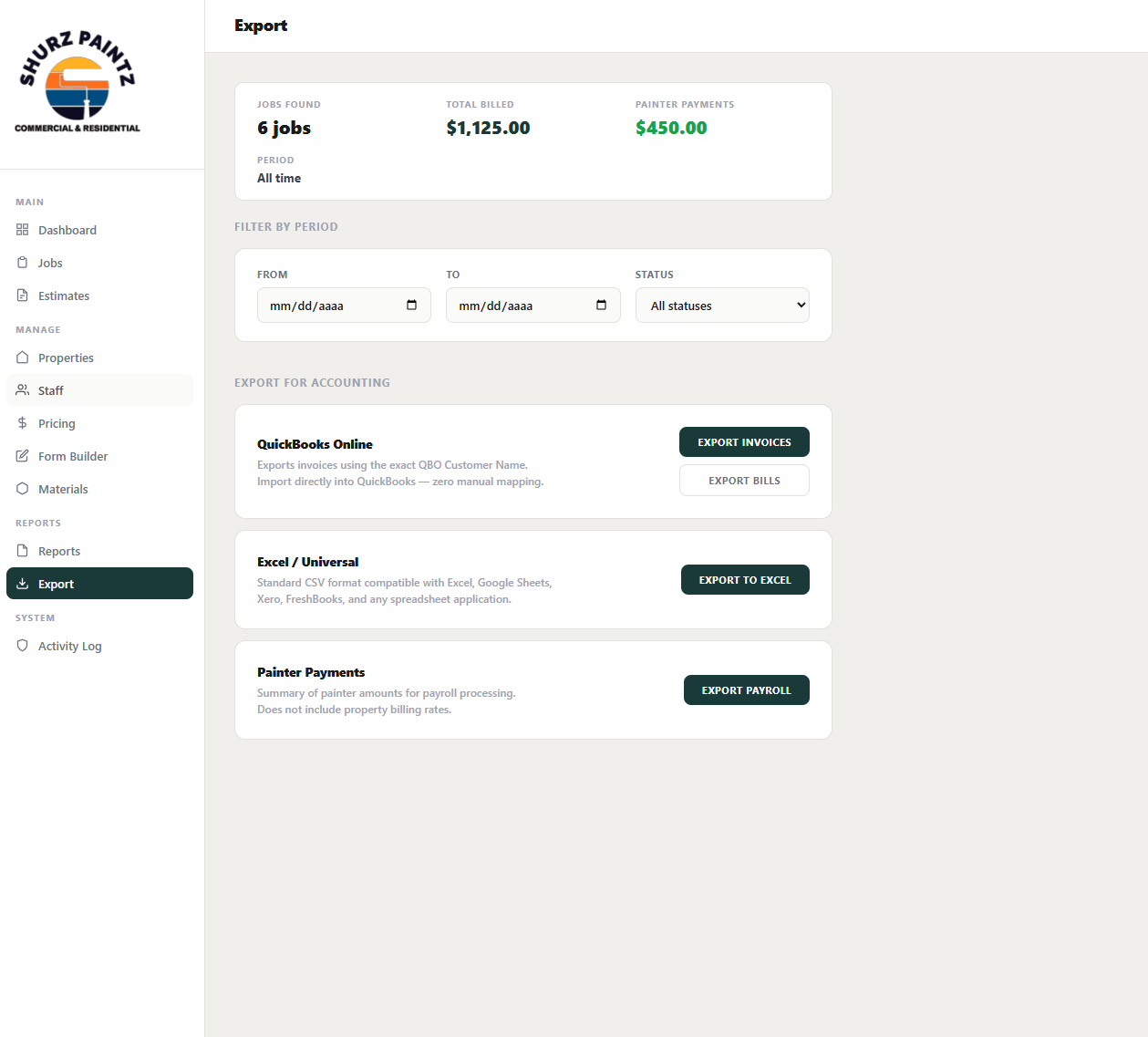
Accounting Without the Manual Work
Export straight to QuickBooks, Excel, or Payroll — filtered by date and status.
QuickBooks Online
Exports invoices and bills with the exact QBO Customer Name — zero manual mapping.
Excel / Universal
Standard CSV compatible with Excel, Google Sheets, Xero, and FreshBooks.
Painter Payments
A summary of painter payouts for payroll, without exposing the rates billed to properties.
One System. Every Role. Every Device.
Contractors by DWPSA™ puts the entire field workflow in one place.
Dashboard
Real-time metrics, jobs per day
Jobs Board
Filters, status, review & approve
Estimates
Create, convert to job, generate PDF
Field App (PWA)
Mobile-first, installable, offline-ready
Pricing
Base prices + per-property overrides
Reports & Weekly Bill
PDF with full privacy control
Staff & Roles
Supervisor / Painter / Office
Export
QuickBooks, Excel & Payroll
Materials & Form Builder
Catalog, requests, and per-item checklist
Ready to digitize your painting operation?